Using JustImageViewer's HTTP API with ComfyUI
5/13/2026
Using JustImageViewer’s HTTP API with ComfyUI
ComfyUI has a built-in way to pick an image for LoadImage, but it is slow. There are custom nodes that improve this, but I tried a different approach.
The idea is simple: build a small image viewer, JustImageViewer, and add an HTTP API for external integration. Because the viewer is built with Rust and imgui-rs, it has the advantage of letting you preview and select images quickly.
Integrating ComfyUI with LoadImageFromURL
JustImageViewer setup and verification
-
Add
http_portto JustImageViewer’ssettings.tomlto enable the web server feature. Here I will use port8001. The paths are:- macOS / Linux:
~/.justImageViewer/settings.toml - Windows:
%USERPROFILE%/.justImageViewer/settings.toml
settings.tomlexample:http_port = 8001 - macOS / Linux:
-
Run the viewer, select any image, and then open
http://localhost:8001/selectin your web browser.
ComfyUI custom node setup
You can use the LoadImageFromURL node from https://github.com/jerrywap/ComfyUI_LoadImageFromHttpURL to load an image from a URL. However, due to caching issues, the image served by the web server may not refresh even after it changes.
To work around that, I added a force cache invalidation option with a small code change. The change is too small for a pull request, so I uploaded it as a gist. With this applied, ComfyUI looks like this:
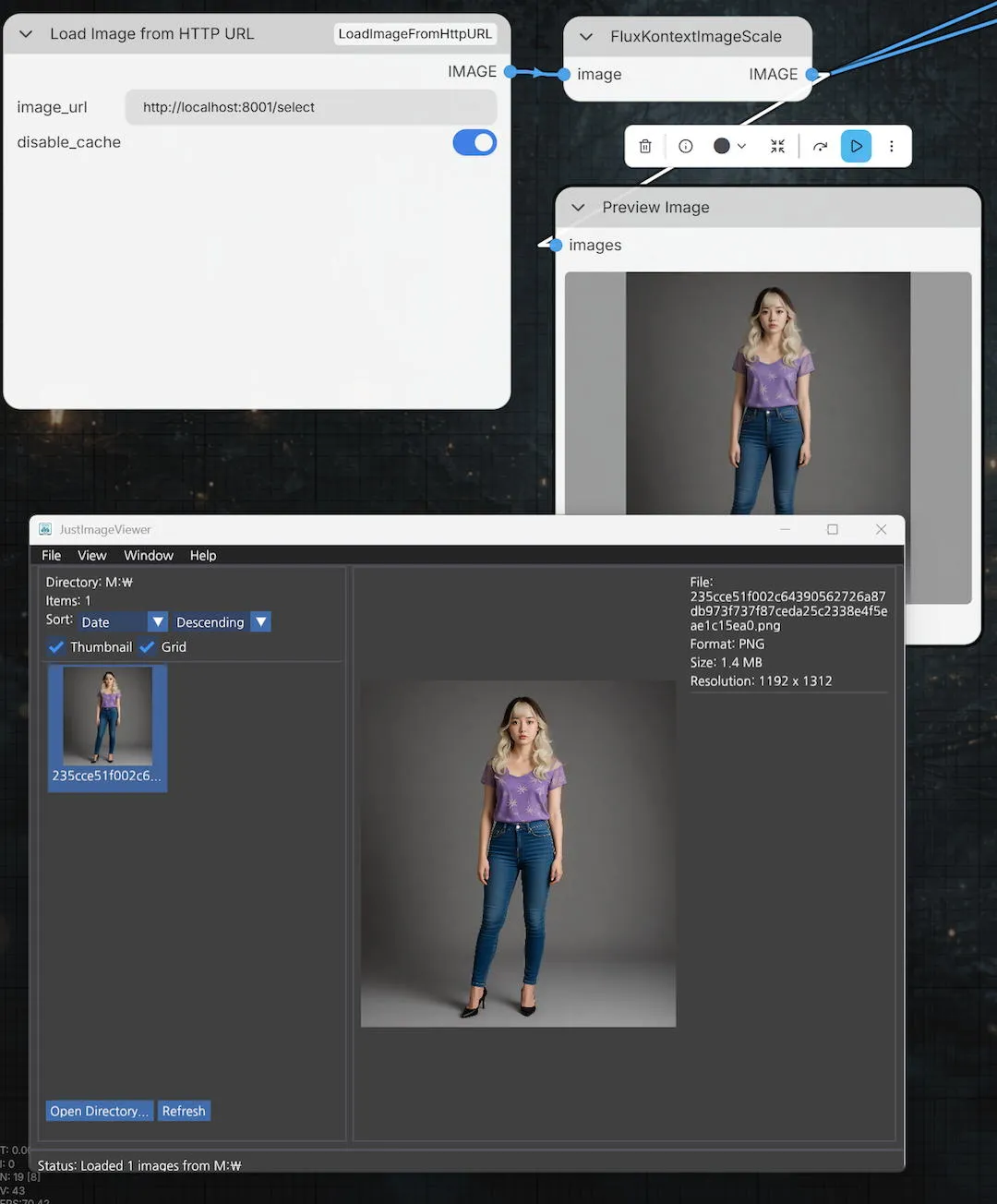
As shown above, enter http://localhost:8001/select into LoadImageFromURL, invalidate the cache, and then set the address on that node. You can connect Preview Image to confirm that the image is applied correctly.
After that, build your ComfyUI workflow and run the queue.